Safety, without effort.
Messages, photos, and files are encrypted on your phone before they are sent. Read receipts can be switched off, last seen can be limited, and delete-for-everyone removes a message for both sides.

A deliberately small, one-to-one messenger for Android. End-to-end encrypted messages, photos, and files, plus one-tap voice calls — fast, friendly, and free of the noise.
A quieter kind of messenger
VaultChat keeps the whole product in one calm place: a clean chat list, protected messages and attachments, optional read receipts, and one-tap voice calls. No groups, no status feed, no algorithmic stream — just the person you’re talking to.
A look inside
Four tabs. One-to-one threads. A composer that stays out of the way. Light or dark, VaultChat looks like a conversation, not a control panel.
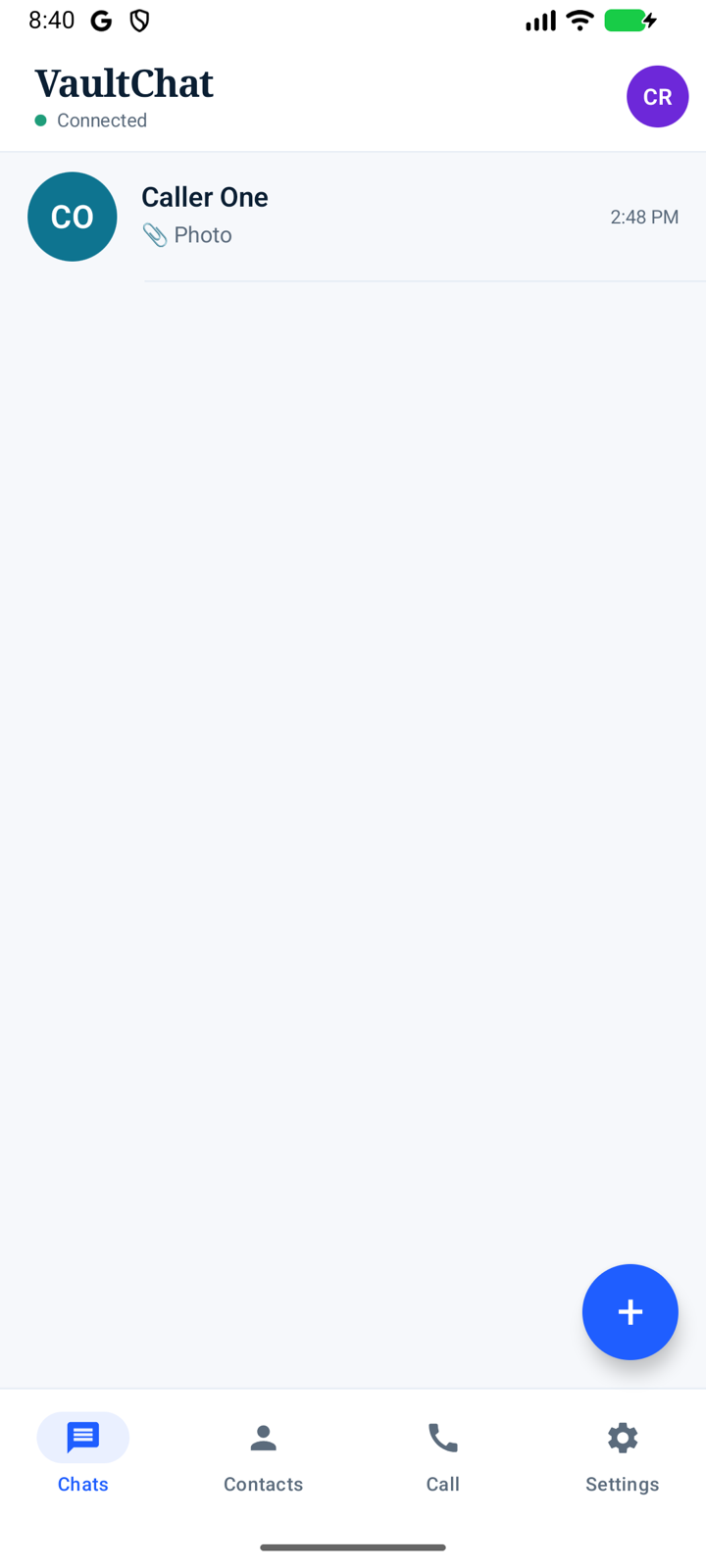
Your people, not an inbox to manage.
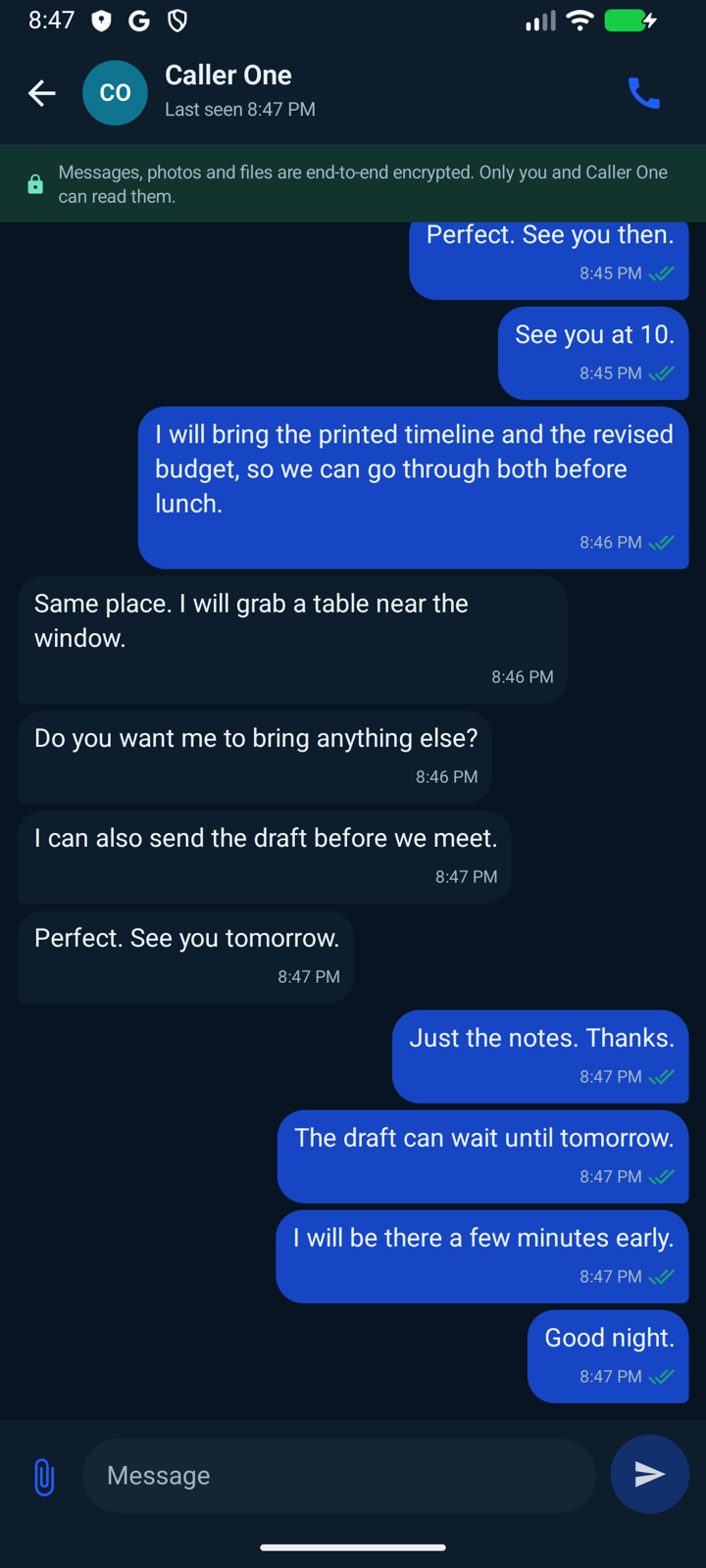
Protected messages, replies, photos, and files.
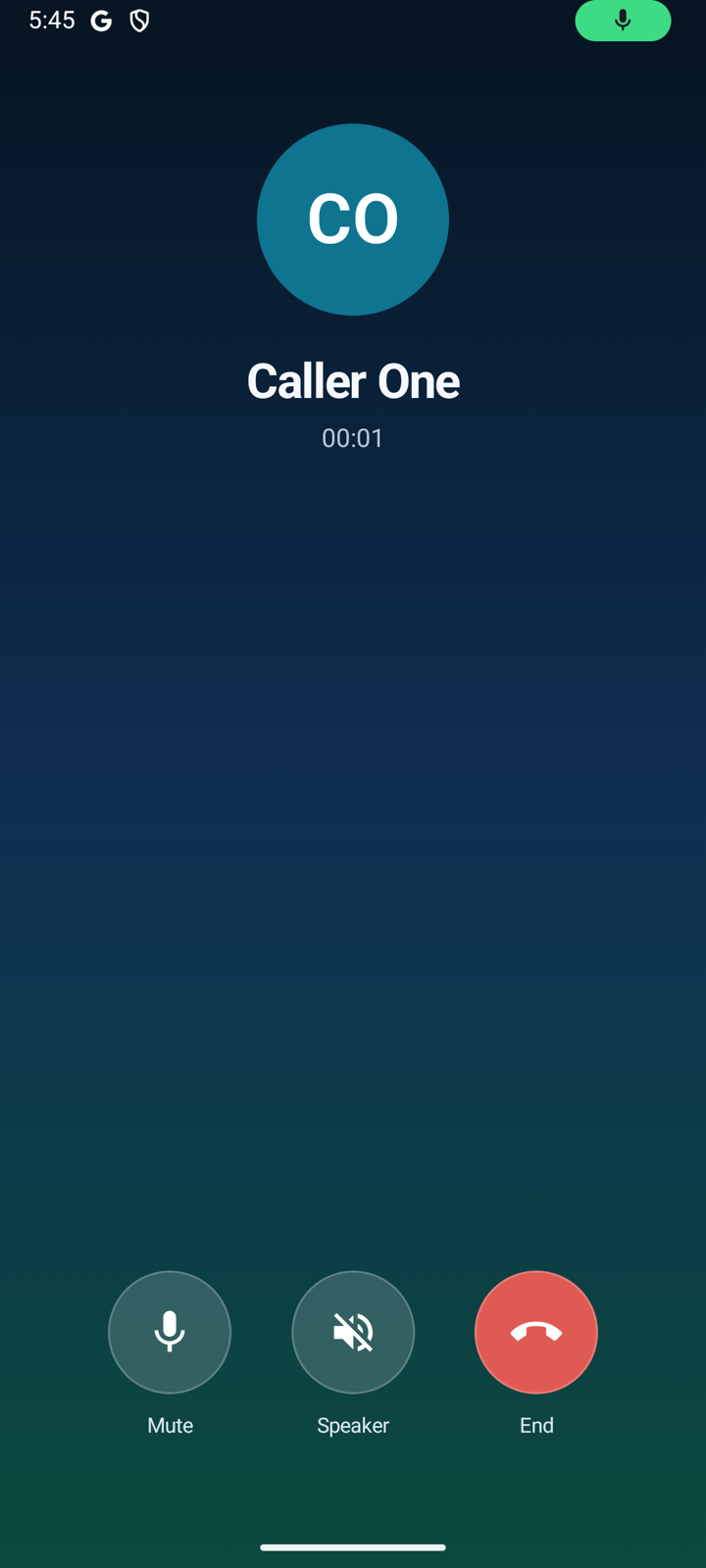
One tap to talk, with controls you can actually see.
Built around three promises
Messages, photos, and files are encrypted on your phone before they are sent. Read receipts can be switched off, last seen can be limited, and delete-for-everyone removes a message for both sides.
Realtime delivery, a chat list that opens instantly, and calls that ring without a detour. No feed to load, no ads to wait for, no extra steps between you and the conversation.
Four tabs, one-to-one chats, swipe to reply, and a camera button in the composer. The interface stays simple so the conversation doesn’t have to.
Under the shield
VaultChat encrypts messages and attachments with keys that stay on your device. The server stores ciphertext, not your conversation. Read receipts are optional; last seen can be limited; deleting a message for everyone removes it for both people.
Messages, photos, and files are end-to-end encrypted. Voice calls use an encrypted connection but are not end-to-end encrypted today.
Message and attachment payloads use Tink ECIES (P-256 + HKDF + AES-GCM) and Ed25519 signatures. The server stores ciphertext and public keys. One device per account keeps the key model deliberately small; a reinstall creates a new key, so older messages cannot be decrypted.
Direct download
Download the latest APK straight to your Android phone. No store account, no waiting list, and updates are offered inside the app.
Latest: Smaller release: the APK is now about 10 MB for 64-bit ARM phones.
 Scan to download
Point your Android camera here
From browser to first message
Tap the download button on your Android phone. The file is about 10 MB and is built for 64-bit ARM phones.
Android may ask you to allow installs from your browser. That is the normal sideload prompt; VaultChat is not on Play yet.
Continue with Google, set your name, and start a one-to-one chat.
VaultChat is distributed directly by the developer. Updates are checked on launch and offered in the app; critical updates are required before continuing.
Good questions
Clear details, including the limits. Trust works better when the fine print is not hidden.
VaultChat is free while it is in early release. There are no ads, no groups, and no feed to scroll.
Yes. Messages, photos, and files are encrypted on your device and stored as ciphertext. Voice calls are encrypted in transit, but they are not end-to-end encrypted today.
A 64-bit ARM Android phone on Android 8.0 (API 26) or newer, an internet connection, and a Google account for sign-in.
One device per account today. Encryption keys live on the device, so a reinstall creates a fresh key and older messages cannot be decrypted.
VaultChat is an early, independently built app. It is hosted directly by the developer rather than distributed through Google Play, which is why Android shows a sideload prompt the first time.
The app checks this site when it launches. When a new version is available it offers an update; critical updates must be installed before continuing.
Not yet. VaultChat is Android-only for now.
The product is intentionally one-to-one. Fewer surfaces means a smaller, clearer privacy model and a calmer place to talk.
Download VaultChat for Android and start with the person you actually want to talk to.
Download for Android Free while in early release · 64-bit ARM · Android 8.0+